


















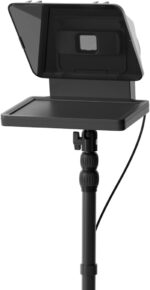
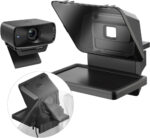
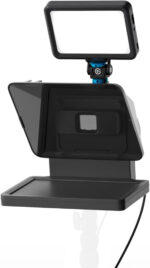
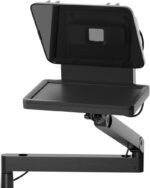
Elgato Prompter – Teleprompter with Built-in Screen for YouTube, Twitch, Zoom, MS Teams and more, Supports DSLR/Webcam/Smartphone, Drag & Drop Monitor Display, Works with Mac/PC & Stream Deck
Short Product Overview
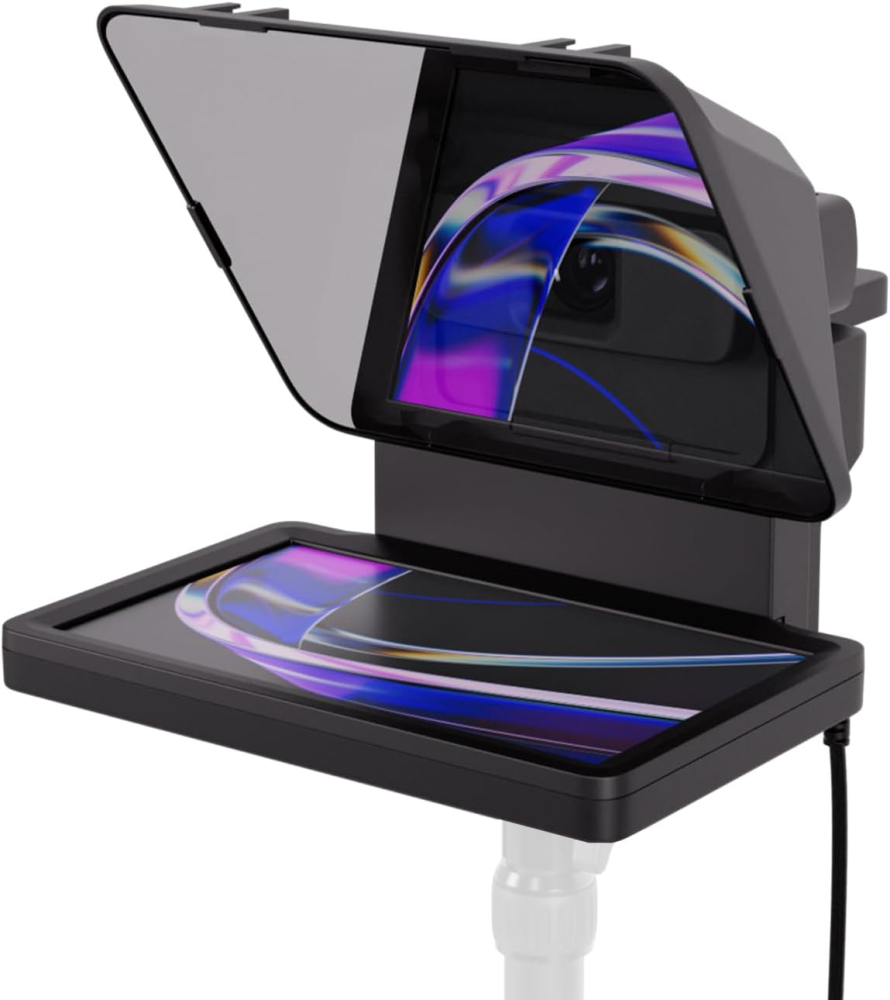
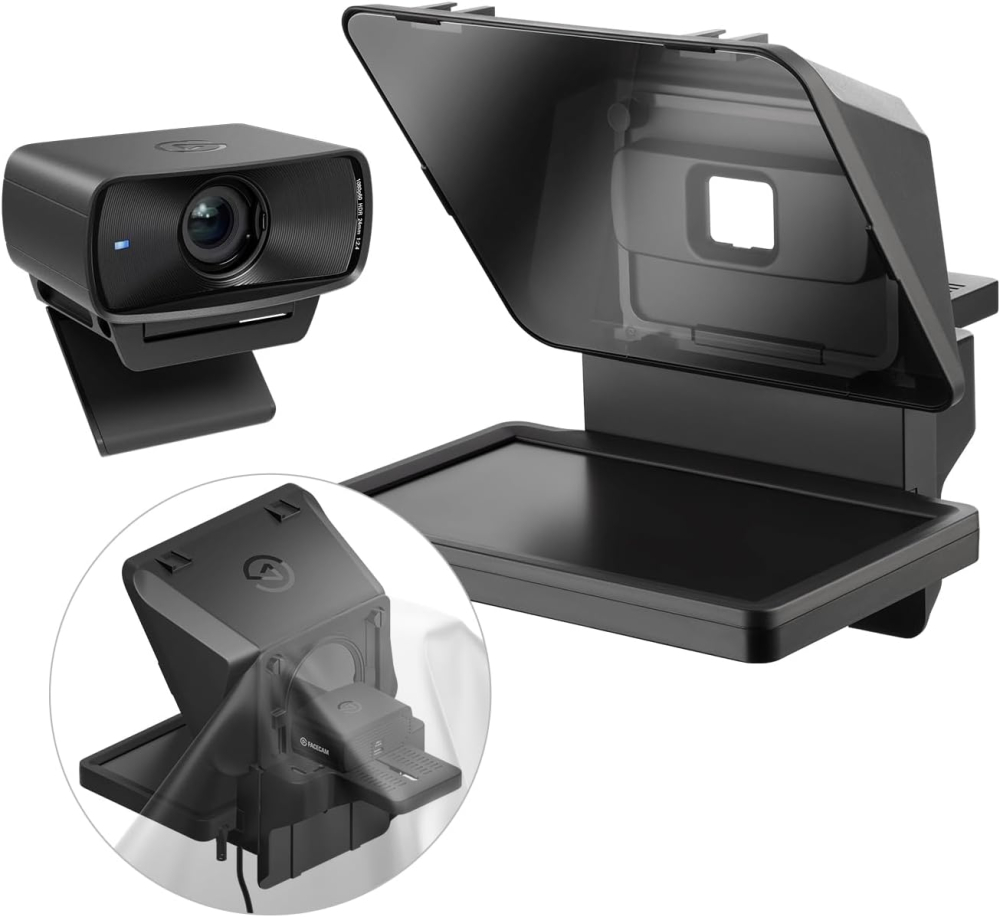
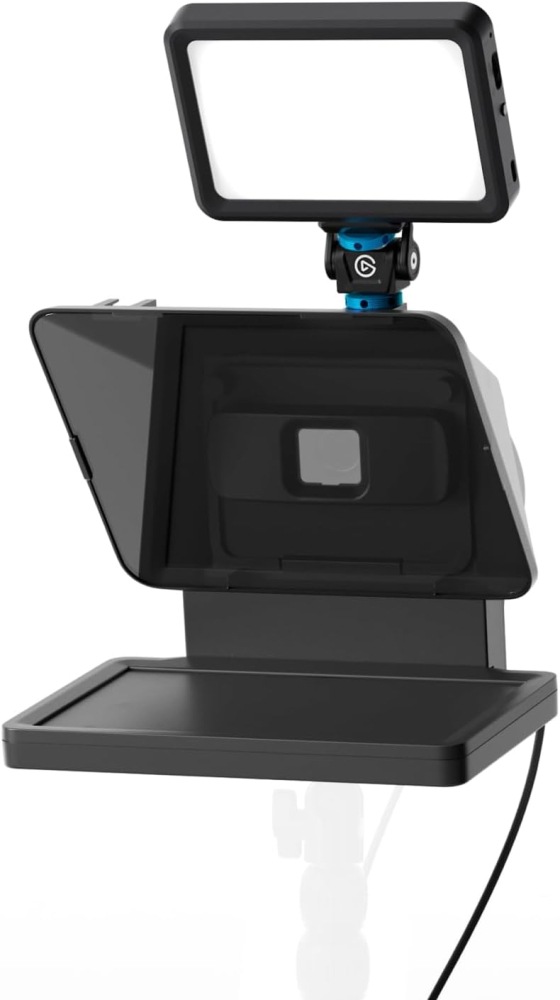
The Elgato Prompter is the ultimate all-in-one teleprompter for YouTube, Twitch, Zoom, and MS Teams, revolutionizing your video content by ensuring seamless, natural eye contact with your audience. Featuring a built-in monitor display and revolutionary Drag & Drop functionality, this device eliminates the need for tablets and simplifies your streaming and video call setup. Compatible with DSLR, webcam, and smartphone cameras, the Prompter ensures you deliver every script and presentation with professional confidence and clarity.
- Integrated 9-inch screen replaces external tablets and phones for a simplified setup.
- Drag & Drop Monitor Display allows seamless display of scripts, chat, or presentations via Mac/PC.
- Universal support for all cameras (DSLR, webcam, smartphone) to maximize compatibility.
- Stream Deck integration enables flawless control over scripts and displays during live production.
£349.99 Original price was: £349.99.£309.95Current price is: £309.95.

Manufacture Warranty

Fast & Secure Shipping

Free 30-Day Returns

Authentic Branded Product




Payment Methods:

Description
Elgato Prompter: Revolutionize Your Content with the Ultimate All-in-One Teleprompter for YouTube, Twitch, & Professional Video Calls
Dramatically elevate the quality and professionalism of your video content with the game-changing Elgato Prompter. This isn’t just a teleprompter; it’s a built-in monitor display designed for seamless integration into your streaming, meeting, and recording setup. Stop awkwardly shifting your eyes and maintain perfect, natural eye contact with your audience on every platform—from YouTube and Twitch streams to critical Zoom and MS Teams meetings. The Prompter features a revolutionary Drag & Drop Monitor Display function, allowing you to move any window or app directly onto the screen, eliminating the need for bulky tablets or smartphones. Compatible with virtually every camera—DSLR, webcam, or smartphone—this essential tool ensures you deliver every script, chat response, or presentation point with confidence, clarity, and authority. Maximize engagement, save time editing, and become the polished creator you were meant to be.
Key Features
- Integrated Display: Built-in 9-inch screen removes the reliance on external tablets or phones, simplifying your setup.
- Drag & Drop Functionality: Treat the Prompter as a secondary monitor; seamlessly display scripts, Twitch chat, or presentations via Mac/PC.
- Universal Camera Support: Designed to accommodate virtually all cameras, including DSLRs, webcams, and mobile phones, even with wide-angle lenses.
- Effortless Eye Contact: Maintain a professional gaze during Zoom, MS Teams, and other video conferencing calls.
- Stream Deck Integration: Control scripts, chat, and displays easily using Elgato Stream Deck for a flawless production workflow.
- Plug-and-Play Setup: Simple installation and desktop control for instant professional quality without complex mobile app configurations.
Important Information
- Screen Resolution: Supports 1080p video capture resolution.
- Required Software: DisplayLink software required for Mac, and DisplayLink Presenter software required for Android (free to download).
- Compatibility: Works with Mac and PC desktop systems.
- Connectivity: Utilizes USB connectivity technology.
Why Choose Think Assemble
- Quality Assurance: We guarantee 100% genuine, high-quality Elgato products delivered in original, factory-sealed condition.
- Fast Shipping: Benefit from our rapid processing and express shipping options to get your gear faster.
- Dedicated Support: Our expert customer service team is ready to assist you with any setup or technical queries you may have.
Specification
Overview
| Weight | 690 g |
|---|---|
| Dimensions | 28.19 × 22.4 × 21.89 cm |
| Brand | |
| Product Dimensions |
28.19 x 22.4 x 21.89 cm; 690 g |
| Item model number |
20WAD9901 |
| Series |
Elgato Prompter |
| Colour |
Black |
| Form factor |
Compact |
| Standing screen display size |
9 Inches |
| Resolution |
HD |
| Operating System |
Proprietary Firmware |
| Are Batteries Included |
No |
| Item weight |
690 g |
| Guaranteed software updates until |
unknown |
| Date First Available |
7 Mar. 2024 |
| Manufacturer |
Corsair ,Elgato |
| Style Name |
Prompter |
Customer Reviews
10 reviews for Elgato Prompter – Teleprompter with Built-in Screen for YouTube, Twitch, Zoom, MS Teams and more, Supports DSLR/Webcam/Smartphone, Drag & Drop Monitor Display, Works with Mac/PC & Stream Deck
Clear filtersOnly logged in customers who have purchased this product may leave a review.
Related Products
In stock

In stock
In stock
In stock
Gary Bowman –
I have struggled to keep on track with my videos narrative for a while, and after checking out some other reviews on the Elgato Prompter I decided it was time to take the plunge.Setup was easy, I am using it with a Sony ZV-E10 it unfortunately needs a different lens to clip the prompter directly to utilise the included accessories, but the shroud does a great job of keeping out external light.The quality is very good as you would expect from Elgato, and it works seamlessly, the unit connects via USB C to USB A on the PC end, this provides power to the unit.The Elgato prompter is good value when compared to units requiring a seperate display, initial impressions are good, but the software does take some getting used to, the Stream Deck integration is awesome and made it simpler to scroll through whilst filming, the AI narrative function I couldn’t get working consistently.Overall, very good initial impressions.
Horvath –
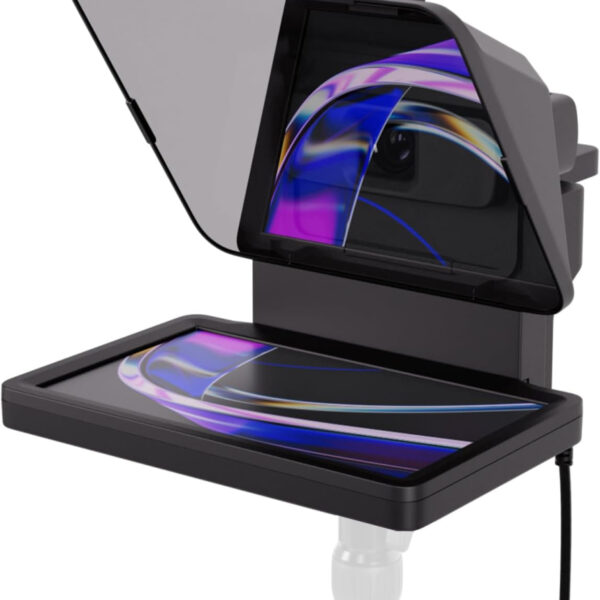
This Elgato Prompter really is amazing for Vloggers or people creating courses.Basically, you connect this to your computer and the computer uses this as a second screen. The prompter has a mirror built into it and so it reflects this backwards second screen in a way that you can see it as if it was the correct way round.For most people, this allows you to write scripts and have them broadcast from your laptop to the screen using the Elgato software. However, you are able to just use it as a second screen for things such as Discord if you want to.What makes the prompter so good is that your camera goes behind the screen, which servers as a one-way mirror essentially. You see a screen, but your camera behind the screen captures you. This means no more looking off to a second screen or down at your notes. It means far less takes as you can read from a script rather than having to remember lines.I really liked how many attachments came with the prompter. Whatever size lens you have, there’s a fitting for the prompter to attach to your camera. There are also options for smaller cameras or phones as well, although you may need to pick up a cheap attachment depending.Overall, I think this is an excellent way to improve your videos. It’s very easy to setup and use as well.
Paul Harmer –
Totally brilliant. Worked perfectly first time with my Mac, superb quality, great software and so many options for connecting it to any camera you can think of (I’m using a Nikon Z7 with a 24-70 f4 and I just use one of the supplied step-up rings, of which there are many. 100% recommended and worth the premium.
Nobody Knows –
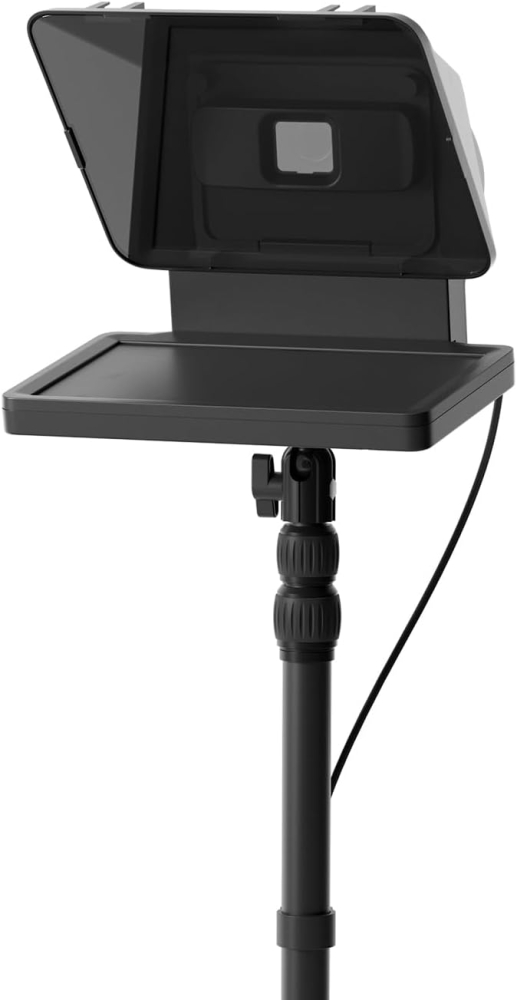
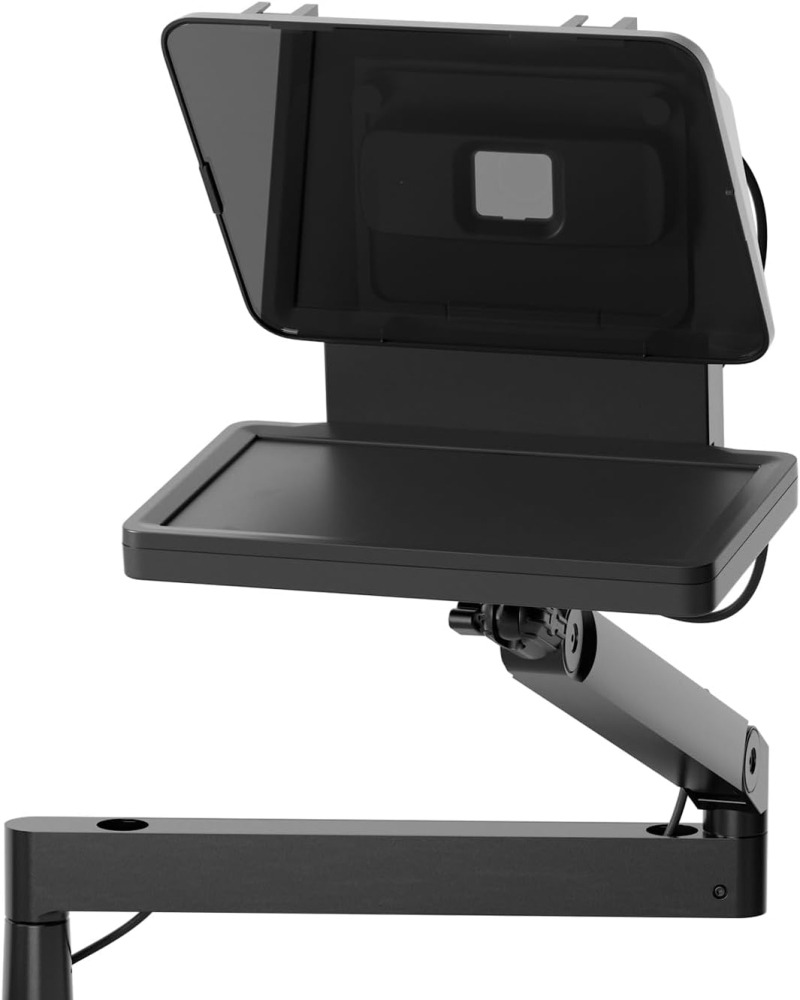
I do a lot of video conferences for work using Zoom / Teams / etc.The usual problem with video conferences is that there is no eye contact. I’m either looking at the camera so the other person thinks I’m looking them in the eyes, or I’m looking at the monitor to see their eyes but we cannot have both with a regular webcam set up.With a teleprompter the camera is mounted behind a piece of glass that acts as a mirror to show the screen that is mounted below.I can now look directly at the camera and the image of the other person at the same time. It makes a remarkable difference to how a video conference feels. I can give eye contact and watch for non-verbal communications like facial movement.It was very easy to set up. In the box are a large selection of camera mounting adapters and a generic blackout adapter. So it can be used with an expensive DSLR type camera or a simple webcam – that is not included. My existing webcam is a Logitech Stream Cam. That uses the blackout cloth adapter to keep light out of the back. That took about 5 mins to mount and adjust to the middle of the screen.The combined prompter / webcam then needs to be mounted in some way. The bottom of the prompter has the usual camera mounting hole so any type of mount can be used from a small tripod to extensive desk clamp mounts. I have a Neewer desk mount extendable pole with a side arm. The prompter is on the side arm. The side arm has a ball-head fitting so the prompter can be adjusted for direction and tilt really easily to suit my sitting position.The Prompter then connects to the PC with a single USB-C cable that provides the signal and power.A very clever feature is that the PC does not count the prompter screen as one of the formal monitors – some graphics cards limit the amount of monitors they can feed properly, but the prompter does not affect that. I am using two 4K screens with a relatively old RTX2060 GPU which cannot support more than a pair of 4K monitors. The prompter works just fine.Elgato’s Camera Hub software needs to be installed to control it. Once installed it will recognise the prompter and the settings can be adjusted – either just for video, or for placing a scrolling script on the screen, or both.In Zoom I just drag the Zoom window to the prompter screen like it was just another monitor and then maximise to fit the prompter screen. The mouse works as any other monitor. The screen brightness etc is all controllable in the Camera Hub app.This is the best bit of ease of use – it is just another screen. No need to do anything different.I use it for every video conference now and I’d definitely get another one if I managed to lose it or something.The prompter can be controlled with a mouse and the Camera Hub software very easily. For those with an Elgato Stream Deck, it can also be controlled with that.Once set up and running it is as hassle-free as it could be. It just sits there until I need it.I said it was “almost perfect”…The flaws are minor:1: The blackout sheet adapter could be a bit longer. Some webcams have cables that exit from the back of their casing and some from the bottom. The ones from the back can cause the blackout sheet to lift letting a bit of light in from the rear which gets in the way of the image. Turning off any light behind the unit solves this, as does carefully re-arranging the blackout when using it. If the blackout sheet was 3-4 inches longer it wouldn’t be a problem at all. I might end up sewing an extra bit of cloth to it.2: for sharp icons there is a little ghosting / double image on the reflective surface only. The screen itself is crisp. This happens because the mirror glass reflects on both surfaces – both sides of the sheet of glass. It’s pretty much impossible to avoid, at least on a modestly priced unit. I only notice it on icons and not on the main image itself. There are some complaints online about this – particularly for people reading scripts on it but for conference without text it’s not an issue. Unfortunately physics applies here – light will bounce off a surface and a sheet of glass has 2 so there are 2 reflections. I believe very expensive units use amazingly thin (and fragile) glass to minimise this so the images are closer, and / or use an expensive coating on one side of the glass to reduce the reflections. Either way – not available for something of this price. Maybe one day!3: If your webcam has a privacy cover then it cannot be reached once the camera is mounted to the prompter. I just pull the blackout sheet over the front when I’m not conferencing. But there really should be a way to deal with this. The blackout sheet does not quite come down far enough – as per No1 above, a bigger blackout sheet would solve it completely.It’s an excellent bit of kit. Now that I’ve used it for a while I’d hate to go back to video conferences without eye contact again.
Think Assemble Customer –
Absolutely superb product. I bought it after watching a bunch of glowing YouTube reviews. They weren’t wrong – it really is a game changer for coaching calls and video self shoot recording. Well made, great build quality and with plenty of attachments for different cameras. The screen is plenty bright enough and overall very good value for money.
Mr. S. C. Fadhley –
Save yourself a lot of pain by not buying this. This product is a great idea, but Elegato’s software is so unreliable, and their tech support is barely present. The teleprompter voice sync is broken and unreliable. It may work for approximately 5 minutes before stopping, and it appears that only a complete reboot (not just restarting the app) is necessary to make it work for another 5 minutes. Elegato products look great, but they fail to invest in high-quality drivers and applications. Nothing makes this more evident than the unreliable software. If you buy this product, you will probably end up paying $100 per year for something that actually works.
EOY –
Pro level teleprompter, got it on amazon at a reduced price, very straightforward and easy to use, it can be used outside even in the sun, you have the options to brighten the display. Camera picture quality stays the same. Very useful addition to my setup
Its blad –
Super util
Un accesorio cool para mi prompter. A veces lo uso también para una cámara o micrófono, todo perfecto.
@jordift –
Teleprompter profesional que mejora claramente la fluidez al grabar
🔧 Construcción / estabilidadEl Elgato Prompter transmite buena calidad desde el primer momento. Los materiales se sienten sólidos y bien acabados, pensados para un uso frecuente en estudio. Una vez montado, queda estable tanto grabando sentado como de pie, sin holguras ni sensación de fragilidad.⚙️ Instalación / configuraciónLa puesta en marcha es sencilla. No requiere ajustes complejos para empezar a usarlo y en poco tiempo ya está operativo. En PC funciona sin problemas, aunque el software de Elgato tiene margen de mejora en cuanto a lectura de guiones.📏 Ajuste / tamaño / ergonomíaEl formato está bien pensado para colocarlo frente a la cámara sin interferir en la grabación. La pantalla integrada cumple su función, aunque la resolución podría ser algo más alta para una experiencia todavía más cómoda en sesiones largas.✅ Uso realLo he usado varias veces por semana durante aproximadamente un mes y medio para grabar vídeos a cámara, leer guiones y mantener contacto visual en grabaciones y sesiones tipo Zoom. El resultado es una mejora clara en la fluidez al hablar y en el aspecto profesional del contenido. Permite leer scripts, guiones o incluso chats sin apartar la mirada de la cámara, lo que se nota mucho en el resultado final.📝 ConclusiónEs un producto claramente orientado a quienes graban contenido de forma habitual y quieren dar un salto de calidad. No es un accesorio imprescindible para usos esporádicos, pero sí una herramienta muy útil cuando se integra en el flujo de trabajo diario.👍 Pros• Muy fácil de usar desde el primer día• Buenos materiales y sensación de producto profesional• Mejora notablemente la fluidez y el contacto visual al grabar👎 Contras• La resolución de la pantalla integrada podría ser mejor• El software de Elgato para leer guiones es mejorable
IT-MARKET –
Endlich professionell vor der Kamera – dank Elgato Prompter
Hier ist eine ausführliche Produktbewertung des Elgato Prompter, zugeschnitten auf deinen Hintergrund als Geschäftsführer von IT-MARKET. Ich gehe sowohl auf Technik & Einsatzmöglichkeiten ein, als auch auf Nutzen & Grenzen fürs Unternehmen.All-in-One Teleprompter + Zweit-MonitorDer Prompter fungiert nicht nur zum Ablesen von Texten, sondern wird vom Rechner wie ein zusätzlicher Bildschirm erkannt. Das eröffnet viele Einsatzszenarien: Präsentationen, Videokonferenzen, Tutorials, Chat-Überwachung etc.Kompatibilität & Flexibilität in der HardwareDie mitgelieferten Step-up-Ringe und unterschiedlichen Backplates ermöglichen die Nutzung mit verschiedenen Kameras und Objektiven. Das erfüllt einen wichtigen Anspruch, wenn man vielfältige Setups nutzt. Für Unternehmen mit Content Creation oder Schulungen ist das sehr vorteilhaft.Gute Display-PerformanceDas Display liefert ausreichend Schärfe und Farbtreue für Teleprompter-Zwecke. Bei normalem Abstand ist der Text gut lesbar; auch die Helligkeit und Kontrast sind verstellbar.Softwareunterstützung & CustomizingÜber die Elgato Camera Hub Software lassen sich Schriftgröße, Schriftart, Geschwindigkeit, Rand-Einstellungen etc. anpassen. Es gibt Modi wie „Text“, „Display“, „Chat“.Guter Werthaben für PreisAuch wenn der Elgato Prompter kein Billiggerät ist, bietet er laut Tests ein sehr gutes Preis-/Leistungsverhältnis, besonders im Vergleich zu Eigenbauten oder günstigen Telepromptern, bei denen oft Zubehör oder Funktion fehlen.Fazit: Wer Wert auf professionelle Kommunikation, klare Ansprache und mehr Effizienz bei Aufnahmen oder Livestreams legt, ist mit dem Elgato Prompter bestens beraten. Eine Investition, die sich schnell bezahlt macht!