


















Back to products
![INIU Car Charger, Cigarette Lighter USB Charger Total 60W [USB C 30W+USB A 30W] 12V USB Socket, PD3.0 Fast Charge Car Phone Charger Metal Adapter for iPhone 17 16 15 14 13 Pro Max iPad Samsung Google](data:image/svg+xml;base64,PHN2ZyB4bWxucz0iaHR0cDovL3d3dy53My5vcmcvMjAwMC9zdmciIHdpZHRoPSI3OCIgaGVpZ2h0PSI5NiIgdmlld0JveD0iMCAwIDc4IDk2Ij48cmVjdCB3aWR0aD0iMTAwJSIgaGVpZ2h0PSIxMDAlIiBzdHlsZT0iZmlsbDojY2ZkNGRiO2ZpbGwtb3BhY2l0eTogMC4xOyIvPjwvc3ZnPg==)

![INIU Car Charger, Cigarette Lighter USB Charger Total 60W [USB C 30W+USB A 30W] 12V USB Socket, PD3.0 Fast Charge Car Phone Charger Metal Adapter for iPhone 17 16 15 14 13 Pro Max iPad Samsung Google](https://media.thinkassemble.co.uk/2026/01/06124831/695d049ec29d2184ad39ec6af47636368bfbf41bd8d9dd6a6cf95.jpg)
INIU Car Charger, Cigarette Lighter USB Charger Total 60W [USB C 30W+USB A 30W] 12V USB Socket, PD3.0 Fast Charge Car Phone Charger Metal Adapter for iPhone 17 16 15 14 13 Pro Max iPad Samsung Google
Original price was: £12.59.£7.14Current price is: £7.14.
-24% Sold out

-
 Courier delivery under £30

-
Prime delivery

-
Manufacture Warranty 1 Year

-
Free 30-Day returns






Overview

| Weight | 1200 g |
|---|---|
| Dimensions | 11 × 11 × 11.4 cm |
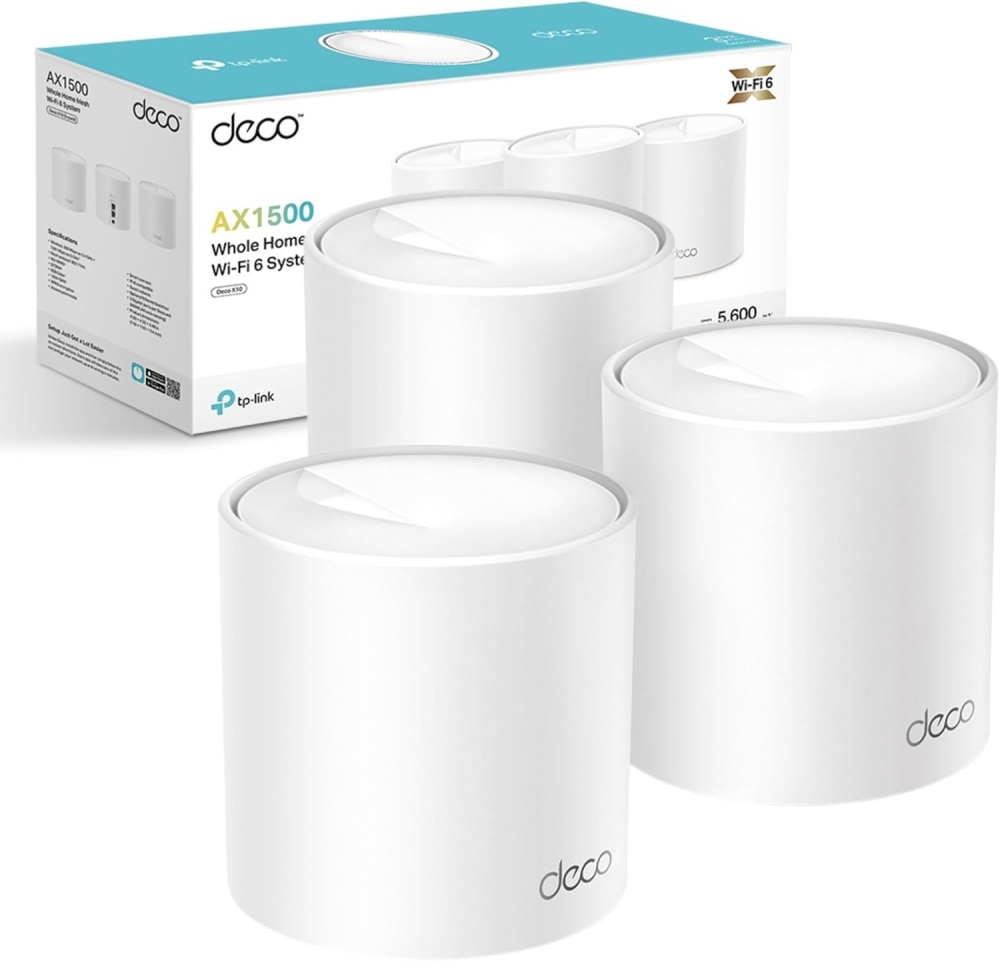
| Manufacturer | TP Link |
| Part number | Deco X10(3-pack) |
| Product Dimensions | 11 x 11 x 11.4 cm; 1.2 kg |
| Item model number | Deco X10(3-pack) |
| Size | 3 Pack |
| Colour | White |
| Style | AX1500 WiFi 6 |
| Item Package Quantity | 1 |
| Coverage | 5600ft² |
| Special Features | Robust Parental Controls |
| Usage | Business, Gaming, Personal |
| Included components | Deco X10(3-pack) |
| Batteries required | No |
| Item weight | 1.2 kg |
| Date First Available | 6 Dec. 2023 |





Alexander Brown –
This mesh WiFi system is excellent. Setup was very easy and only took a few minutes. Everything worked straight away with no hassle.Once it’s set up, you don’t need to manage it at all. It pretty much runs itself, which is great if you don’t want to mess around with settings. WiFi is strong and stable all around the house.Overall, a brilliant system that does exactly what it should. Reliable, simple, and stress-free. Highly recommended.
Daniel Davis –
Firstly, really easy next day delivery from thinkassemble.co.uk as per the usual standard. The TP Link Deco devices were purchased not only to help boost the wifi signal around the house for a couple of deadspots, but to provide a better wireless signal generally.In January 2019 we decided to get rid of conventional broadband and fibre solutions and move to 4G home broadband. We purchased a TP-Link MR6400 4G Router and a 12 month sim only Unlimited data from Three.Initially we were super impressed with the speeds and the reliability of Mobile Internet as a home solution. We were excluded from any phone line issues that people in our street still tackled with standard broadband providers, or issues with the lines direct to older houses. We live in a good area for broadband generally with a steady 30mbs download, however the further away you are from the FTTB (Fibre to the box) the worse your internet was, we were these people im afraid and usually got a consistent 15-20mbs.However we noticed after a few months, speeds were slow, ping response from the 4G box was rubbish. Initially doing some reboots of the box resolved some issues, but not all. We have recently just moved to EE unlimited sim only data plan hoping we would see a dramatic difference, to no avail. Albeit inconsistent due to the 4g Router issues, the speed is faster with EE at up to 90mbps.So i came to the conclusion that the 4G Router must have an internal issue that effects the wifi signal it sends out, effecting the speed.I purchased these and as previously mentioned above, they arrived in great time. The box is well packaged and the product itself seems a good standard.Plug and play standards meaning i simply unboxed, power lead and ethernet into the back of my 4G router and hey presto. Download the iOS or Android app and go through the simple step by step instructions.Renamed the Deco to the name of my already implemented wifi (Dans Fibre), and all my devices previously linked to the router that was called (Dans Fibre) just linked to the Deco. (This also saves alot of time not going through all those devices you have and pairing to a new wifi name with a new password)10 minutes and my first deco was out the box and receiving 4G EE mobile data and sending it out to the house. Signal and ping speeds were massively better, however i needed to route into the 4G Router 192.168.1.1 and turn off the wireless which then allowed the Deco to be the only wireless signal we could see. Which proved my theory right about the box having an internal issue. Ping speeds were back down to a healthy response instead of the randomly fluctuating 200ms 178ms etc. Im happy with low 30ms ping speed.Continuing with my setup i placed another one upstairs and paired via the app, bang fast reliable internet upstairs.These really are simple to use, and albeit i know my way round most computer technology, im definitely not a network guy, but seriously these were an absolute breeze, and have temporarily fixed my internal wifi issues.I will still need a replacement 4G router, but that will only make things better.For what these are designed to do, they do a fantastic job. It boosts the signal around the house really well, and the intelligent switching between Deco units to provide the best signal is great.Ive only scratched the surface with some basic use, but i like some of the built in features within the app that let you prioritise device bandwith and speed, and parental controls, guest networks etc. Its great to see who is using what also including who is using all the bandwith downloading netflix 24/7.If you have home broadband or a 4G solution, this will work just fine.My situation may be different to yours for use, it may be the same. But i couldnt find any reviews that related to using in a 4G Environment.I hope this review helps other would be 4G Solution people. Roll On 5G!!!
Paul –
***UPDATE AFTER 3 MONTHS OF USAGE***TP-Link Mesh Extender was such a colossal disappointment I felt compelled to warn others. The WiFi constantly drops off without warning – not just on one device, but across everything in the house. It defeats the entire purpose of a mesh system, which is supposed to offer seamless, reliable coverage.The range is laughably poor. Even standing just one room away from the extender results in pitiful signal strength and slower-than-dial-up speeds. And before anyone suggests it – yes, I placed the units exactly as recommended by TP-Link’s own setup guides. The problem is, those “recommended” spots are completely impractical (like halfway up the stairs or in the middle of hallways) and still don’t deliver anything close to advertised performance.TP-Link touts impressive speeds and “whole-home coverage” – but what you actually get is a glitchy, frustrating, underpowered system that feels like it was rushed to market without proper testing. You’re better off using your mobile data.Awful product. Waste of money. Do yourself a favour and look elsewhere.***DISREGARD THE BELOW REVIEW***- I HAVE HAD THESE FOR 3 MONTHS NOW SO THE REVIEW ABOVE IS UPDATED.I bought these Deco E4 units to improve WiFi coverage across my home, and they do a great job in that regard. Setup is simple via the app, and the mesh system works well for seamless roaming between rooms. Signal strength is strong, even across multiple floors.However, there’s a major limitation you should know about: the Ethernet ports on the E4 units are only 100 Mbps (Fast Ethernet). This means if you use one of these units as your main router (connected to your modem), your internet speed will be capped at around 100 Mbps — even if your actual broadband is much faster.The good news is, I solved this by replacing the main unit with a Deco M4 (which has Gigabit ports). Once I made the M4 the primary router and used the E4s as satellites, my speeds jumped dramatically, and the whole system worked flawlessly.✅ Great value for mesh coverage⚠️ But make sure your main unit has Gigabit Ethernet ports if you want full-speed internetIdeal if you’re pairing with other Deco models — just don’t expect fast speeds if you’re relying on the E4 alone as your main node.
Paul Matthew Austin –
First impressions are this is a really nice device. I originally bought it to add a meshed ap to the upstairs floor of my house but instead used it to replace my old d-link router. Setup was simple. Plugged it into the ont box in the wall. And used the app to configure it. Found the whole process simple. The device looks nice and is much more discrete than my old router. The WiFi signal is also far better giving me much better speeds on my pc which is located upstairs. Overall extremely pleased so far. I may get a 2nd at some point to work as a meshed device upstairs but for now very happy with the performance at a really good price
Webdevil –
I bought 2 of these as I have tried the traditional WIFI extenders – but they never worked and were a waste of money in my opinion.These Mesh extenders are absolutely EXCELLENT. Very, very easy to set up via an app on my mobile and I now have fast and effective WIFI all over my home. And a really good price too. Highly recommended.
LoanWolffe –
Am very happy with my wifi now, I get 200+ meg in every room and over 100 on the patio. These were easy to install and the app is useful. They’ve been running a few weeks now with no issues at all.
user-M1K8EP1 –
جهاز تقوية لشبكة النت المنزلي
منتج رائع حل مشكلة النت لدى في البيت بشكل كبير كنت أخشى من عدم فعاليته كمنتجات اخرى كثير ولكن عند تجربته اثبت فعاليته وقوته واصبحت شبكة النت ممتازة في كل البيت
Thijs –
Niet kopen in Nederland. Verkeerde stekker
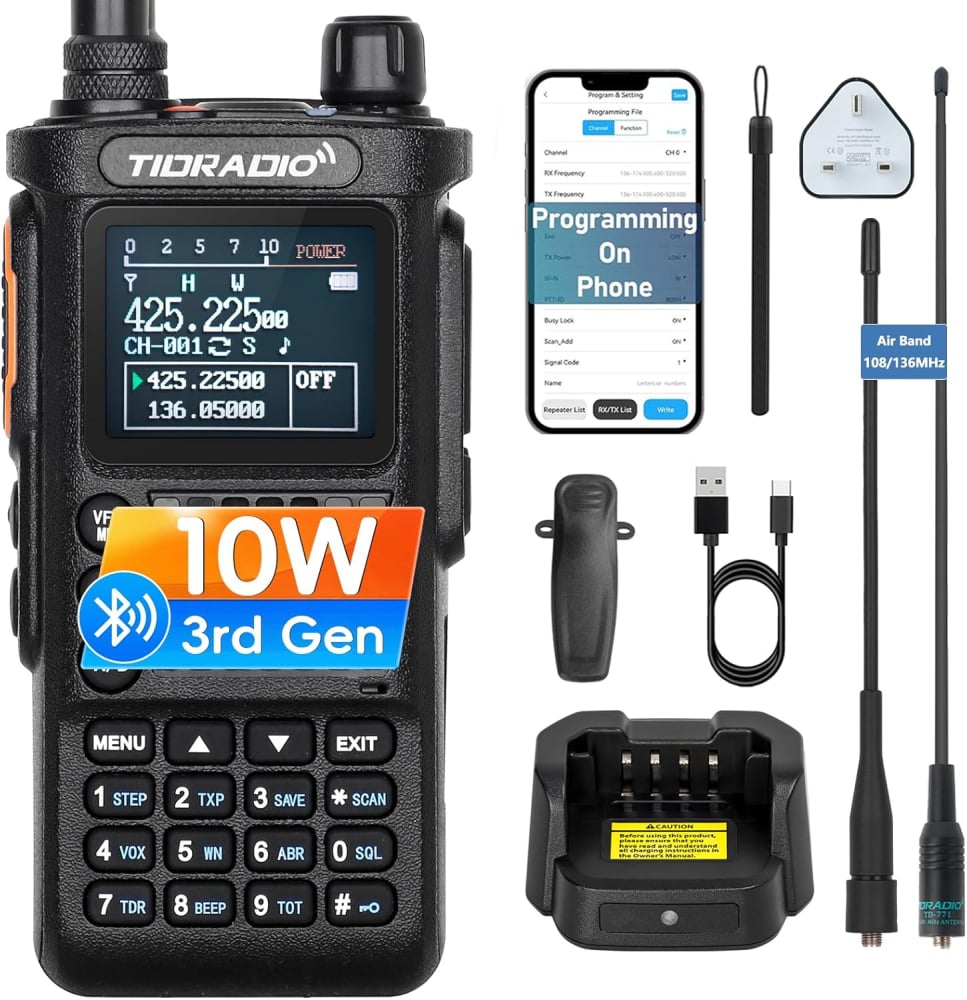
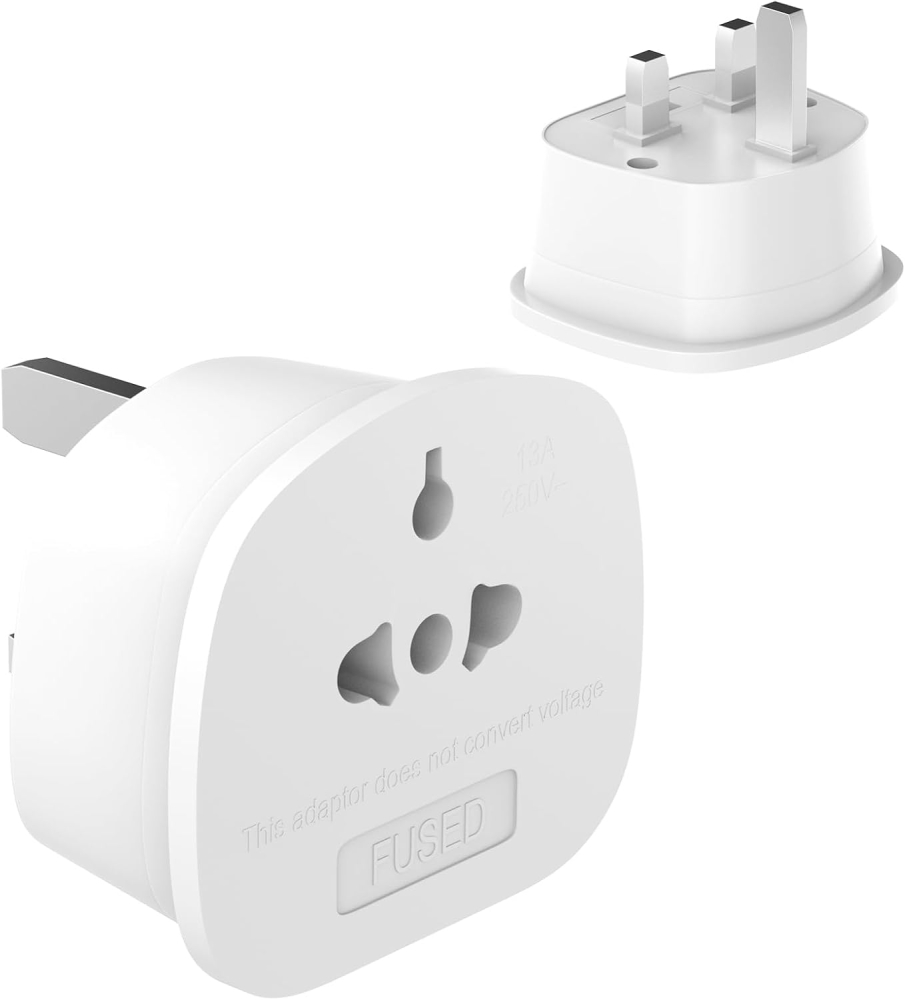
Geen NL stekker aan adapters
Adbu –
ممتاز
تم تغطية المنزل طابقين بالكامل بشكل ممتاز
Josephfadil –
Amazing
Amazing product, original, same day delivery
Carlos Jorge Cossío –
Súper Velocidad
En verdad el Deco BE63 distribuye una velocidad igual a la contratada por tu proveedor de servicios de Internet, es un equipo increíble, la instalación muy fácil.
Alexander Brown –
This mesh WiFi system is excellent. Setup was very easy and only took a few minutes. Everything worked straight away with no hassle.Once it’s set up, you don’t need to manage it at all. It pretty much runs itself, which is great if you don’t want to mess around with settings. WiFi is strong and stable all around the house.Overall, a brilliant system that does exactly what it should. Reliable, simple, and stress-free. Highly recommended.
Daniel Davis –
Firstly, really easy next day delivery from thinkassemble.co.uk as per the usual standard. The TP Link Deco devices were purchased not only to help boost the wifi signal around the house for a couple of deadspots, but to provide a better wireless signal generally.In January 2019 we decided to get rid of conventional broadband and fibre solutions and move to 4G home broadband. We purchased a TP-Link MR6400 4G Router and a 12 month sim only Unlimited data from Three.Initially we were super impressed with the speeds and the reliability of Mobile Internet as a home solution. We were excluded from any phone line issues that people in our street still tackled with standard broadband providers, or issues with the lines direct to older houses. We live in a good area for broadband generally with a steady 30mbs download, however the further away you are from the FTTB (Fibre to the box) the worse your internet was, we were these people im afraid and usually got a consistent 15-20mbs.However we noticed after a few months, speeds were slow, ping response from the 4G box was rubbish. Initially doing some reboots of the box resolved some issues, but not all. We have recently just moved to EE unlimited sim only data plan hoping we would see a dramatic difference, to no avail. Albeit inconsistent due to the 4g Router issues, the speed is faster with EE at up to 90mbps.So i came to the conclusion that the 4G Router must have an internal issue that effects the wifi signal it sends out, effecting the speed.I purchased these and as previously mentioned above, they arrived in great time. The box is well packaged and the product itself seems a good standard.Plug and play standards meaning i simply unboxed, power lead and ethernet into the back of my 4G router and hey presto. Download the iOS or Android app and go through the simple step by step instructions.Renamed the Deco to the name of my already implemented wifi (Dans Fibre), and all my devices previously linked to the router that was called (Dans Fibre) just linked to the Deco. (This also saves alot of time not going through all those devices you have and pairing to a new wifi name with a new password)10 minutes and my first deco was out the box and receiving 4G EE mobile data and sending it out to the house. Signal and ping speeds were massively better, however i needed to route into the 4G Router 192.168.1.1 and turn off the wireless which then allowed the Deco to be the only wireless signal we could see. Which proved my theory right about the box having an internal issue. Ping speeds were back down to a healthy response instead of the randomly fluctuating 200ms 178ms etc. Im happy with low 30ms ping speed.Continuing with my setup i placed another one upstairs and paired via the app, bang fast reliable internet upstairs.These really are simple to use, and albeit i know my way round most computer technology, im definitely not a network guy, but seriously these were an absolute breeze, and have temporarily fixed my internal wifi issues.I will still need a replacement 4G router, but that will only make things better.For what these are designed to do, they do a fantastic job. It boosts the signal around the house really well, and the intelligent switching between Deco units to provide the best signal is great.Ive only scratched the surface with some basic use, but i like some of the built in features within the app that let you prioritise device bandwith and speed, and parental controls, guest networks etc. Its great to see who is using what also including who is using all the bandwith downloading netflix 24/7.If you have home broadband or a 4G solution, this will work just fine.My situation may be different to yours for use, it may be the same. But i couldnt find any reviews that related to using in a 4G Environment.I hope this review helps other would be 4G Solution people. Roll On 5G!!!
Paul –
***UPDATE AFTER 3 MONTHS OF USAGE***TP-Link Mesh Extender was such a colossal disappointment I felt compelled to warn others. The WiFi constantly drops off without warning – not just on one device, but across everything in the house. It defeats the entire purpose of a mesh system, which is supposed to offer seamless, reliable coverage.The range is laughably poor. Even standing just one room away from the extender results in pitiful signal strength and slower-than-dial-up speeds. And before anyone suggests it – yes, I placed the units exactly as recommended by TP-Link’s own setup guides. The problem is, those “recommended” spots are completely impractical (like halfway up the stairs or in the middle of hallways) and still don’t deliver anything close to advertised performance.TP-Link touts impressive speeds and “whole-home coverage” – but what you actually get is a glitchy, frustrating, underpowered system that feels like it was rushed to market without proper testing. You’re better off using your mobile data.Awful product. Waste of money. Do yourself a favour and look elsewhere.***DISREGARD THE BELOW REVIEW***- I HAVE HAD THESE FOR 3 MONTHS NOW SO THE REVIEW ABOVE IS UPDATED.I bought these Deco E4 units to improve WiFi coverage across my home, and they do a great job in that regard. Setup is simple via the app, and the mesh system works well for seamless roaming between rooms. Signal strength is strong, even across multiple floors.However, there’s a major limitation you should know about: the Ethernet ports on the E4 units are only 100 Mbps (Fast Ethernet). This means if you use one of these units as your main router (connected to your modem), your internet speed will be capped at around 100 Mbps — even if your actual broadband is much faster.The good news is, I solved this by replacing the main unit with a Deco M4 (which has Gigabit ports). Once I made the M4 the primary router and used the E4s as satellites, my speeds jumped dramatically, and the whole system worked flawlessly.✅ Great value for mesh coverage⚠️ But make sure your main unit has Gigabit Ethernet ports if you want full-speed internetIdeal if you’re pairing with other Deco models — just don’t expect fast speeds if you’re relying on the E4 alone as your main node.
Paul Matthew Austin –
First impressions are this is a really nice device. I originally bought it to add a meshed ap to the upstairs floor of my house but instead used it to replace my old d-link router. Setup was simple. Plugged it into the ont box in the wall. And used the app to configure it. Found the whole process simple. The device looks nice and is much more discrete than my old router. The WiFi signal is also far better giving me much better speeds on my pc which is located upstairs. Overall extremely pleased so far. I may get a 2nd at some point to work as a meshed device upstairs but for now very happy with the performance at a really good price
Webdevil –
I bought 2 of these as I have tried the traditional WIFI extenders – but they never worked and were a waste of money in my opinion.These Mesh extenders are absolutely EXCELLENT. Very, very easy to set up via an app on my mobile and I now have fast and effective WIFI all over my home. And a really good price too. Highly recommended.
LoanWolffe –
Am very happy with my wifi now, I get 200+ meg in every room and over 100 on the patio. These were easy to install and the app is useful. They’ve been running a few weeks now with no issues at all.
user-M1K8EP1 –
جهاز تقوية لشبكة النت المنزلي
منتج رائع حل مشكلة النت لدى في البيت بشكل كبير كنت أخشى من عدم فعاليته كمنتجات اخرى كثير ولكن عند تجربته اثبت فعاليته وقوته واصبحت شبكة النت ممتازة في كل البيت
Thijs –
Niet kopen in Nederland. Verkeerde stekker
Geen NL stekker aan adapters
Adbu –
ممتاز
تم تغطية المنزل طابقين بالكامل بشكل ممتاز